Improving User Experience with Website Speed Optimization

In today’s digital world, user experience matters a lot. A big part of user experience is website speed optimization. This means making web pages load faster. When websites take too long to load, users feel frustrated. This can lead to more users leaving the site and fewer conversions. This guide will discuss why website speed is important. It will also give useful tips and ideas to help website owners improve their site’s speed and create a better user experience.
Understanding Website Speed Optimization
Website speed optimization has several ways to make a web page load faster. One important part is cutting down the time it takes for the first byte of data to reach the user’s browser. This is called Time to First Byte, or TTFB. Speed optimization also includes making the entire page load more quickly by improving images, scripts, and other elements.
A website that loads quickly is very important for a good user experience. If a site takes too long to load, visitors may feel frustrated and leave. This can lead to lost opportunities. By improving how web content is delivered and speeding up server responses, speed optimization helps increase user satisfaction. It also creates a smooth browsing experience.
The Critical Role of Speed in User Experience
User experience covers all the ways a person uses a website. Site speed plays a big role in this experience. Google understands how important website performance is for user experience. That is why they developed Core Web Vitals. These are key metrics that help you check and improve site speed.
These metrics check factors like page load time, how users can interact with the site, and how stable the visuals are. A website that loads quickly helps users see the content faster. Good interactivity means users can easily navigate and engage with the elements on the site.
Visual stability is important too. It ensures that the layout stays the same while the page loads. This helps to reduce distractions and makes the website easier to use. When website owners focus on these factors, they can create a user-friendly site that is quick and efficient.
Key Indicators of Website Performance
To boost website performance, it is essential to understand some key indicators. These indicators show us how the site loads and how users feel while using it. A big group of these indicators is known as Core Web Vitals.
- Largest Contentful Paint (LCP): This tells us how long it takes for the biggest piece of content, like an image or text, to show up on the screen. A fast LCP means users can see and use the main content quickly. This leads to a better user experience.
- First Contentful Paint (FCP): This measures how long it takes for the browser to display the first part of the page. A quick FCP helps users feel that the page is loading. While FCP is not as important as LCP, it helps make a website feel more responsive.
- Cumulative Layout Shift (CLS): This checks how stable the page is. It looks at how much the layout shifts when the page is open. A low CLS score means the layout is stable. This helps prevent annoying jumps in content that can bother users.
By knowing and improving these indicators, webpage owners can enhance their sites. When they make important content load quickly, display the first content right away, and minimize layout shifts, they provide a smooth and engaging user experience.
Why is website performance key for SEO success?
 Search engines like Google want to provide a great experience for their users. A website’s performance is very important for this. Websites that load quickly rank better in search results. This aligns with Google’s aim to offer content that is relevant and easy to find. Page speed affects how high a website ranks in search results.
Tools like Google PageSpeed Insights are useful for checking how well a website performs. They provide important measures and advice for making it better. By looking at things like Time to First Byte (TTFB), First Contentful Paint (FCP), Largest Contentful Paint (LCP), and Cumulative Layout Shift (CLS), website owners can see where they can improve. This helps to make the user experience better and raises their position in search engine results.
Starting Points for Speed Optimization
Starting webpage speed optimization is easy. First, check how your website is doing right now. You can use simple and effective methods to improve your page load time. This can also enhance user experience.
Doing a full website audit with performance testing tools helps you find the slow parts and areas to improve. It’s important to put these fixes in order based on how much they can help. This way, you can focus on changes that will boost speed and user satisfaction.
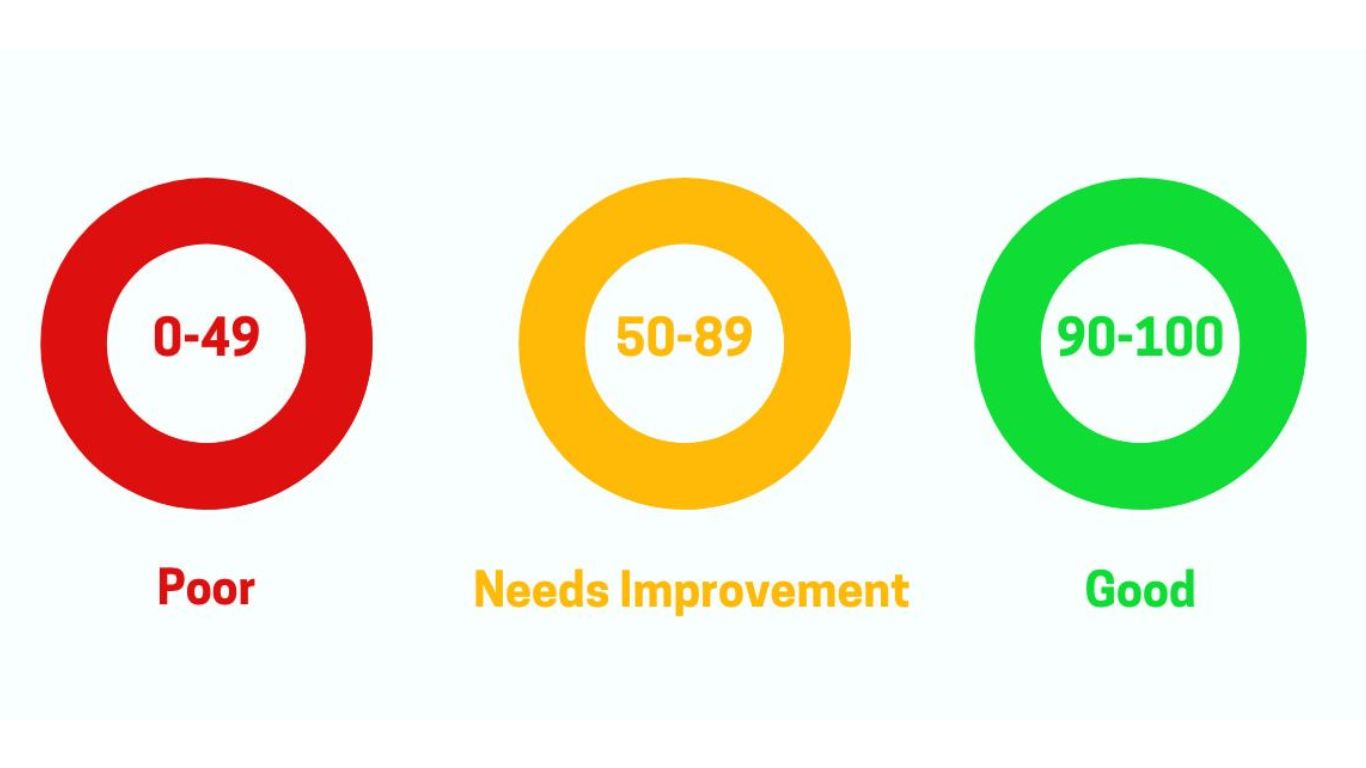
Utilizing Performance Testing Tools
Website speed testing is really important. It helps you see how well your website works. It also helps find ways to improve it. There are many speed testing tools you can use. These tools check for problems that could slow down your site. By using these tools, webpage owners get useful information about what affects load time and user experience.
Google PageSpeed Insights is a popular free tool. It provides a complete report about how your website performs. It analyzes a webpage and offers tips to improve loading speed. Other helpful tools are GTmetrix, WebPageTest, and Pingdom. Each tool has different features and checks to assess website performance.
Regularly testing your website speed is very important. It doesn’t matter if you use a free tool or a paid one with more features. This practice helps to keep your site running well. It also lets you make smart decisions that will enhance the user experience.
Identifying Common Causes of Slowdowns
Slow-loading websites often have problems that affect page speed and user experience. A big issue is unoptimized images. Large image files increase loading times, especially for people with slow internet. To solve this, try compressing images and choosing the right formats.
Another issue is the large amount of JavaScript files and CSS files. Each of these files requires an HTTP request. A high number of requests can make loading times slower. To fix this, website owners can make these files smaller, combine them when they can, and delay their loading.
The total number of HTTP requests is important. Each request is a trip to the server, which slows down load time. Website owners can speed up loading and boost website performance by reducing the number of requests. They can do this with methods like using image sprites and inlining critical CSS.
Core Strategies for Enhancing Website Speed
 Website owners can use a few key strategies to make their site faster and improve user experience. By following these strategies, you can get quicker load times and enhance your website performance.
You can improve how content is shared, make your code simpler, and use caching tools. This will help you create a website that loads fast. It will also give your visitors a smooth and pleasant browsing experience.
Leveraging Content Delivery Networks (CDNs)
Maximize website’s speed by using content delivery networks, called CDNs. CDNs share your web content through many servers worldwide. This helps reduce load time and improve user experience. They can handle requests for several things, like JavaScript files, images, and videos, making page load time faster. CDNs also help deliver web fonts and CSS files, which are important for mobile devices. Choose the right CDN based on what your website needs. This way, users can access content faster from anywhere in the world. Using a CDN is a simple and good way to boost your site speed and overall performance.
Optimizing Image Sizes and Formats
Images play a big role in making websites appealing. Still, if they are not optimized properly, they can slow down page loading. By optimizing image sizes and formats, you can improve website performance.
Large images can slow down how fast a page loads, especially if the internet is slow. It’s important to compress images to reduce their file sizes without losing good quality. Picking the right image format matters as well. For instance, the WebP format gives better compression compared to older formats like PNG or JPEG.
Choosing the right format for your content is very important. If you have photographs, it’s best to use JPEG compression. For logos and images with clear edges, PNG or SVG formats are better. By keeping a good balance between image quality and file size, website owners can make their site look nice without slowing down page speed.
Minimizing HTTP Requests
Each time a browser opens a webpage, it sends HTTP requests to the server. This is the way it gets what it needs, like HTML, CSS, JavaScript files, and images. If a page needs many HTTP requests, it takes longer to load. That is why it is important to optimize your website. Doing this helps reduce these requests and makes loading faster.
Extra HTTP requests can make your server slow and your page load more slowly. You can reduce these requests with a few techniques. For example, combine CSS and JavaScript files. You can also use image sprites to join several images into one file. Another method is inlining critical CSS. These steps can greatly lessen the number of HTTP requests.
By reducing HTTP requests, you can help your website load faster and work better. This helps ease the burden on the server and the browser. In this way, it makes the user experience smoother and quicker.
Employing Browser Caching Techniques
Browser caching is a smart way to improve web browsing. It allows web browsers to store copies of things we use often, like images, CSS files, JavaScript files, and web fonts, right on the user’s computer. When someone comes back to your website, the browser can easily access these items from its cache. This makes the page load quicker since it doesn’t need to fetch them from the server every time.
Saving these items on your device allows the browser to use less data from the server. This helps speed up the page and improves website performance. Browser caching is especially useful for websites with repeat visitors. It makes it easier and quicker for them to access content.
It’s important to set caching headers on your server. This helps control how long the browser keeps resources. This way, users can see the latest content. With browser caching, website owners can make their sites faster and smoother for visitors who come back. This results in better user satisfaction.
Advanced Optimization Techniques
It is very important to use basic strategies to make your website faster. Using better techniques can boost your site’s performance even more. This matters a lot for websites that get many visitors or have large content.
These techniques need a stronger understanding of basic web development. However, they can really improve performance. Because of this, your website will become more responsive and work better. It will handle high traffic easily and offer a great user experience.
Implementing Asynchronous Loading for CSS and JavaScript
Asynchronous loading is a useful technique in web development. It allows JavaScript files and CSS files to load separately from the main HTML document. This means that these files do not make the page wait before showing content. Usually, these files load together, which can slow down the loading of a webpage.
Using asynchronous loading allows the browser to keep working on the HTML document. It can load JavaScript and CSS files in the background. This makes the page feel faster for the user. Users can view some content even while the scripts are downloading.
Using asynchronous loading is important for how a webpage appears. It helps prevent files that need to load from slowing down the page. This improves the user experience, especially on sites with many JavaScript or CSS files.
Understanding and Using GZIP Compression
GZIP compression is a common way to make website files smaller. This includes files like HTML, CSS, and JavaScript files before they travel from the server to the browser. When you turn on GZIP compression, it can really improve website performance. This is especially important for how fast users can see the website the first time they visit.
When files are compressed on the server, there is less data to send over the network. A smaller file size helps the browser get what it needs faster. This leads to a quicker first byte time and makes the whole page load faster.
Setting up GZIP compression is easy. You just need to change some server settings. Most hosting providers offer simple ways to turn this feature on. It’s a great way to optimize websites. It causes little hassle and greatly improves load time.
The Importance of Efficient Database Optimization
Database optimization is crucial for websites that rely heavily on databases, such as those using content management systems or e-commerce platforms. When database queries are not working well, it can lead to slow page loads. This affects how quickly product information is retrieved, user profiles are loaded, and blog posts are displayed. A good-performing website needs a well-optimized database for the best overall performance.
To get data faster, you can make your database better. Optimize how the database is set up. Use indexes in your tables the right way. Write clear and strong queries. It is also important to tidy up your database often. This means getting rid of old or unused data. By doing this, you will improve how your database works.
Good database optimization helps web pages load quickly. It also improves how the backend of the website functions. When website owners optimize their database, they make sure that user requests are answered fast. This leads to a smoother experience for users as they browse dynamic content.
Mobile Optimization: A Necessity, Not an Option
It is important for your website to work well on mobile devices since many people use them to access the internet. Mobile users want quick loading times and simple navigation. A site that is friendly for mobile devices is essential for keeping visitors and finding success.
You should consider using responsive design. This kind of design changes your website layout to fit different screen sizes. It helps create a smooth experience on any device. Also, pay attention to mobile-specific improvements. This means using smaller files and optimizing Google Fonts. This way, your site loads quickly on mobile connections.

Designing with Mobile-First in Mind
The growth of mobile browsing means we must change how we create websites. We should focus on mobile devices first. Then, we can tweak the design for larger screens. This will help ensure that most users enjoy a great experience.
Mobile-first design aims to create simple layouts that use less code. This makes pages load quickly, which keeps users happy. By focusing on mobile users, websites can meet their needs more effectively. This ensures a smooth experience on all devices.
Using mobile-first design makes websites look cleaner. It encourages designers and developers to focus on what matters most. This creates a simple and friendly user experience for all, no matter the device they are using.
Accelerated Mobile Pages (AMP): Pros and Cons
Accelerated Mobile Pages (AMP) help web pages load quicker on mobile devices. This makes the user experience better. The benefits of AMP are improved site speed, lower bounce rates, and possibly higher search rankings. On the downside, AMP can limit your page designs, making them feel less unique. Also, it requires extra time to set up and regular maintenance. Think about using AMP to improve the mobile user experience, but also weigh the downsides. You want a good balance of speed and functionality.
The Impact of Hosting on Website Speed
The hosting provider you choose can greatly impact your website’s speed. How you set up your hosting is crucial for how fast your website loads and responds to users. While shared hosting can be cheaper, it can also result in slower speed because several websites are using the same resources.
If you choose a better hosting option, like a virtual private server (VPS) or a dedicated server, it can really help your website load faster and stay stable. It’s important to select the right hosting provider and plan. This keeps your online presence quick and trustworthy.
Choosing the Right Hosting Provider
Choosing the best hosting provider is a key decision. It impacts how fast your website works, how much people trust it, and its security. When searching for hosting providers, look for ones that offer quick service and have high uptime. Using features like a content delivery network (CDN), SSD storage, and server caching can greatly enhance how well your site performs.
If your website gets many visitors or needs specific features, consider using a Virtual Private Server (VPS) or dedicated hosting. These options offer you better control over your server resources. This can help maintain good performance, even when traffic increases.
Check how good the customer support is at the hosting company. Fast and friendly support is very helpful. It can help you fix problems or deal with technical issues quickly. This lowers downtime and makes sure you and your website visitors have a good experience.
The Role of Dedicated vs Shared Hosting in Speed Optimization
In shared hosting, several websites share the resources of one single server. This can help save money, which is a good thing for new or smaller websites. But there are some drawbacks. If other websites on that same server slow down, it might impact your website’s speed and overall user experience.
With dedicated hosting, you have an entire server just for your website. This helps avoid the problems that happen when resources are shared, like in shared hosting. You have control over everything, such as CPU, RAM, and bandwidth. This ensures your site works well, even with increased traffic.
Deciding whether to choose dedicated or shared hosting depends on what your website needs and your budget. Dedicated hosting offers excellent performance. However, smaller websites with normal traffic might find shared hosting to be good enough. They can upgrade later when their needs grow.
Conclusion
In conclusion, making your website faster is not just about using new technology. It really changes how users feel about your site and how it does in search engines. You can improve your site’s speed by using tools like CDNs, making images smaller, and keeping databases in good shape. It is also key to focus on making your site good on mobile devices and picking the right hosting provider for an easy user experience. A fast website keeps people interested and helps you show up better in search results. Use these speed optimization tips to create a user-friendly and high-ranking website.
Frequently Asked Questions
How Does Website Speed Affect SEO?
Webpage speed plays a big role in SEO. It can affect how high a site ranks in search engines. Websites that load quickly usually do better in rankings because speed is an important factor. On the other hand, slow sites can frustrate users. This can lead to people leaving quickly and lower organic traffic. So, making your website faster is very important for better SEO performance.
What tools can be used to measure and improve website speed optimization?
To measure and improve webpage speed optimization, tools like Google PageSpeed Insights, GTmetrix, Pingdom, and WebPageTest are commonly used. These tools provide insights into various performance metrics and suggestions for optimization to enhance user experience on websites.